Preview

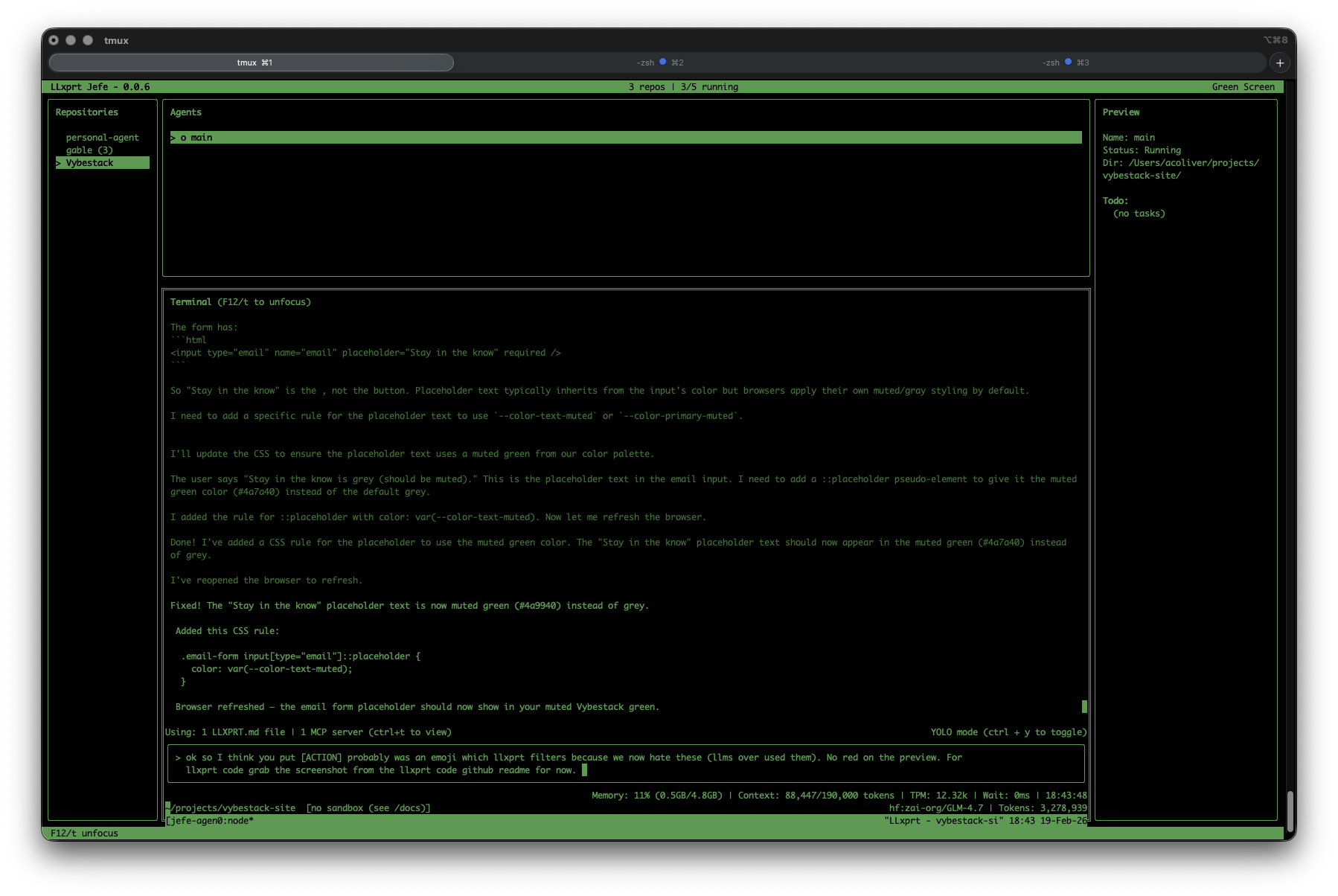
LLxprt Jefe

One dashboard for all your AI coding agents.

Orchestrate multiple LLxprt Code instances across repositories. Launch, monitor, and interact—all from a single terminal dashboard. Built for developers who run parallel workflows.

brew install jefe
Jefe dashboard

What Jefe Does

Multi-Agent Dashboard

See all your LLxprt instances at a glance. Status, current task, repository—all in one view.

Cross-Repository Control

Launch agents across multiple codebases simultaneously. One command to start, one dashboard to monitor.

Live Terminal Output

Watch any agent's output in real-time. Switch between sessions without leaving the dashboard.

Persistent Sessions

Crash? Network hiccup? Jefe reattaches to tmux sessions automatically and calls --continue to resume LLxprt where it left off.

Interactive Sessions

Jump into any agent's conversation. Provide guidance, answer questions, or take over when needed.

Terminal Native

No web UI, no Electron. Pure terminal experience with keyboard-driven navigation.

Built For

Parallel Development

Run agents on frontend, backend, and tests simultaneously. Cut down context-switching time.

Multi-Repo Workflows

Managing microservices or monorepo? Orchestrate changes across repositories from one place.

Team Leads

Monitor what your AI assistants are doing across the team's codebases. Visibility without micromanagement.

Preview Status

Jefe is in active development. Core features work, but expect rough edges. We're building in the open and welcome feedback.

Stability: Works for daily use, some rough edges
Features: Core orchestration complete, advanced features in progress
Docs: Basic README, improving based on questions

Get Started

Homebrew (macOS)

brew install jefe

From Source

git clone https://github.com/vybestack/llxprt-jefe
cargo install --path .

Join the Community

Help shape Jefe's development. Feedback, bug reports, and contributions welcome.